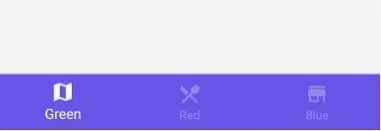
Creating a navigation bar in Android Studio for a blog app typically involves using the Navigation Component, which simplifies the navigation between different fragments or screens in your app. Here's a step-by-step guide to create a basic navigation bar for a blog app:
1. Set up Your Project:
If you haven't already, create a new Android Studio project. Make sure you select a template with a Navigation Drawer or Bottom Navigation, as these templates come with pre-configured navigation components.
2. Design Your Layout:
Design the layout for your navigation bar. If you're using a Bottom Navigation Bar, you can use the `BottomNavigationView` widget. If you're using a Navigation Drawer, you can use a `DrawerLayout` with a `NavigationView` inside it.
3. Create Fragments:
Create fragments for the different screens of your blog app. Each screen will be represented by a fragment.
4. Set Up the Navigation Graph:
In Android Studio, go to the "res" folder and right-click on "res" -> "New" -> "Android Resource File." Name it "nav_graph." Open this navigation graph.
- In the navigation graph, you can define the different destinations (fragments) and the connections between them.
- You can add actions to represent the transitions between fragments.
5. Connect the Navigation Graph to Your Navigation UI:
- For Bottom Navigation: In your activity layout file (e.g., `activity_main.xml`), include the `BottomNavigationView` and set it up with the navigation graph.
<com.google.android.material.bottomnavigation.BottomNavigationView
android:id="@+id/bottom_navigation_view"
android:layout_width="match_parent"
android:layout_height="wrap_content"
app:menu="@menu/bottom_nav_menu"
app:layout_constraintBottom_toBottomOf="parent"
app:layout_constraintTop_toBottomOf="@id/nav_host_fragment" />
In this example, `@menu/bottom_nav_menu` is a menu resource file that defines the items for the bottom navigation.
- For Navigation Drawer: Set up your `DrawerLayout` and `NavigationView` in your activity layout.
6. Handle Navigation Events:
- For Bottom Navigation: In your activity or fragment, you can use `NavigationUI` to set up the navigation controller and handle clicks on the bottom navigation items.
BottomNavigationView bottomNavigationView = findViewById(R.id.bottom_navigation_view);
NavController navController = Navigation.findNavController(this, R.id.nav_host_fragment);
NavigationUI.setupWithNavController(bottomNavigationView, navController);
- For Navigation Drawer: Handle navigation drawer item clicks to navigate between fragments.
NavigationView navigationView = findViewById(R.id.navigation_view);
NavController navController = Navigation.findNavController(this, R.id.nav_host_fragment);
NavigationUI.setupWithNavController(navigationView, navController);
7. Define Fragment Transitions:
In your fragments, you can navigate to other fragments using the `NavController`. For example, to navigate to a different fragment when a button is clicked:
Button button = findViewById(R.id.button);
button.setOnClickListener(view -> {
navController.navigate(R.id.action_current_fragment_to_destination_fragment);
});
8. Test Your App:
Run your app in the emulator or on a physical device to test the navigation functionality.
This is a simplified overview of setting up navigation in Android using the Navigation Component. Depending on your app's complexity and specific requirements, you may need to customize your navigation further.